
Event planning
Free does not mean walk-in: how to check event entry rules
Free describes the price, not the entry rule. Learn how to spot reservations, timed slots, capacity limits, and walk-in conditions.
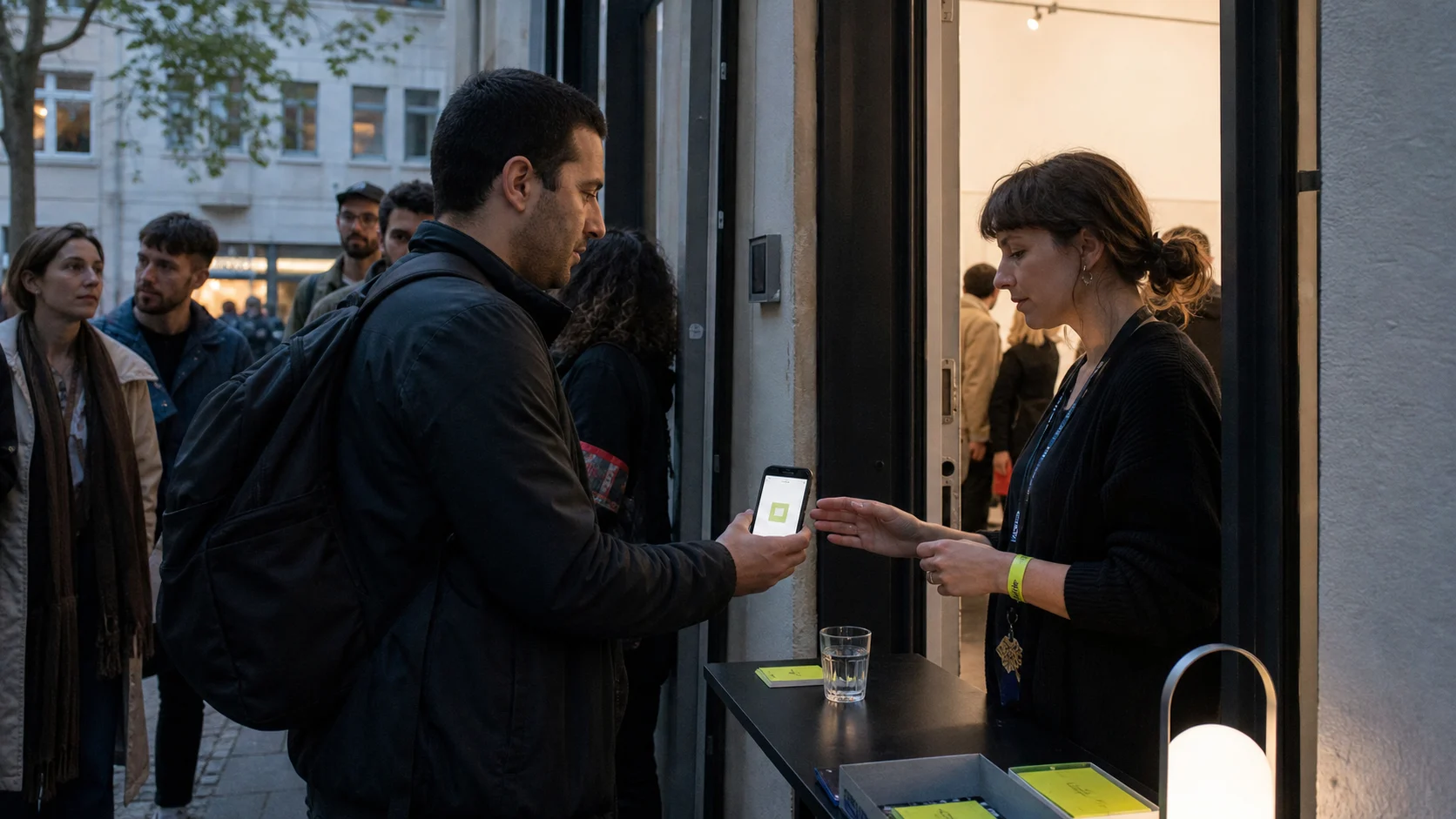
Do free events need tickets? Sometimes. Free describes the price, not the entry rule. A free event may be open to everyone, limited by capacity, tied to a reservation, or split into timed entry slots. Before you leave, find the organizer or venue page and confirm exactly what secures admission.
Start with the entry rule, not the price
The word “free” answers one question: how much admission costs. It does not tell you whether a place is being held for you.
Current official visitor guidance shows how different the rules can be. The Smithsonian National Museum of Natural History says admission is free and tickets are not required. The National Museum of African American History and Culture also has free admission, but requires timed entry passes. Even a venue with walk-in general admission may require tickets for individual programs. The National Museum of African Art makes that distinction on its visitor page.
There is no reliable shortcut based on the venue type, event size, or ticket price. Read the entry wording for the exact program and date you plan to attend.
Know the five common types of free entry
Most free local events fit one of these patterns. Identifying the pattern tells you what to do next.
Walk-in entry
No advance action is required. You arrive during the stated opening or program hours and enter while space is available.
Look for clear phrases such as “no booking required,” “drop in,” or “tickets are not required.” Check whether those words apply to the whole venue or only to general admission. A special talk, workshop, screening, or late opening may have separate rules.
RSVP or registration
You submit your name and contact details before attending. The organizer may use the list for capacity planning, updates, or check-in.
An RSVP is not always the same as a guaranteed place. Look for a confirmation message that says your registration is complete. If the page only records interest, it should say what happens next.
Free ticket
You complete a checkout process with a total of zero. The result is still a ticket or order, and it may include a QR code, order number, or named guest.
Eventbrite’s official checkout guidance explains that an event action may say “Get tickets,” “Register now,” or “Reserve a spot.” The important step is finishing the order and receiving confirmation. Seeing “Free” on the listing is not the same as holding the ticket.
Timed entry
Your free ticket is valid for a particular arrival time or window. This helps a venue manage the flow of visitors, but it creates extra details to check.
Confirm whether you may arrive after the printed time, whether every person needs a pass, and whether the pass covers the venue, the program, or both. The NMAAHC, for example, currently requires a free timed entry pass for each visitor and notes that building capacity can still affect the queue.
First come, first served
No place is promised in advance. Admission depends on when you arrive and how much room remains.
Check when the line opens, where it forms, and whether registered guests receive priority. “Doors at 18:00” may describe the building opening, not the start of entry or the event itself.
Read the action words on the listing
A useful event page should tell you what action to take. Scan the area around the date, price, and primary button.
| Wording | What it usually means | What to confirm |
|---|---|---|
| No booking required | Walk-in entry | Capacity limits and last admission |
| RSVP | Submit attendance details | Whether the RSVP guarantees a place |
| Register | Complete a form | Whether approval or a second email follows |
| Reserve a spot | Claim limited capacity | Whether the reservation has a time limit |
| Get free tickets | Complete a zero-cost order | Quantity, names, and ticket delivery |
| Timed entry | Arrive in a set window | Late arrival and group rules |
| First come, first served | Queue on arrival | Door time and likely capacity |
| Waitlist | No current place | How offers are sent and how quickly they expire |
Do not rely on a search result label alone. Search snippets, social previews, and copied calendars often shorten the entry wording. Open the current organizer or venue page and follow the full booking path until the rule is clear.
Use a three-part confirmation test
Before treating a place as secured, check for all three parts.
1. A completed action
You submitted the form, finished checkout, or received the free ticket. A page left open in a browser tab is not a reservation.
2. A matching confirmation
The confirmation should match the event title, date, time, venue, and number of people. If the event has several sessions, confirm the correct slot.
Check the email address used for the order, including its spam or promotions folder. If the platform provides an account area or ticket wallet, confirm that the order appears there too.
3. Clear arrival instructions
Know what to show and when to arrive. Some organizers ask for a QR code. Others use a name list, printed ticket, membership card, or order number. A reservation can still have a release rule if you arrive late.
If one part is missing, return to the strongest current source. When the page remains unclear, contact the organizer before making a long journey.
Check the venue rule and the event rule separately
This is where many free plans go wrong. General admission and program admission can be different.
A museum, library, garden, community center, or university may be free to enter while a workshop inside it needs registration. The reverse can happen too: you may hold a free event ticket but still need a separate venue pass, security check, or festival wristband.
Read both pages when they exist:
- the venue’s visit page for building entry, opening hours, bags, access, and general capacity;
- the event page for the program time, booking, age rules, language, equipment, and check-in.
The National Museum of African Art provides a useful live example: its general admission does not require a ticket, while some public programs do. That distinction is more useful than a broad label such as “free museum event.”
When two pages disagree, follow the source closest to entry
Copied listings can remain online after booking closes or the rules change. If an event calendar says “free entry” but the organizer page says “registration required,” follow the organizer.
Use this order when details conflict:
- the current organizer event page;
- the current venue event page;
- the active ticket or registration page linked by the organizer;
- an official city or institution calendar;
- a third-party listing or old social post.
Check the year and edition carefully. A recurring event may keep the same title while changing venue, capacity, or booking method. Save the current source URL instead of a screenshot so you can check for updates on the day.
This source trail is part of the broader method in our guide to finding local events without endless searching.
Plan for every person in your group
Do not assume one booking covers everyone. Read the quantity limit and attendee rules before completing the order.
For a group, confirm:
- whether each adult and child needs a ticket;
- whether tickets are named or transferable;
- whether one person can hold all confirmations;
- whether the organizer has a separate group booking route;
- whether carers, companions, or support workers need their own place;
- whether a child ticket still counts toward capacity.
If you need step-free entry, seating, captioning, interpretation, a quiet arrival, or another access arrangement, check the event and venue access pages early. A free ticket confirms admission only. It does not automatically confirm a particular access service or seat.
What to do when free tickets are sold out
“Sold out” usually means the advance allocation has been claimed. It does not automatically mean that a walk-in queue exists.
Look for an official waitlist, a later ticket release, returned tickets, or a same-day allocation. Use only the options described by the organizer. Do not travel on the assumption that absent guests will create space unless the page explicitly offers door entry.
If you can no longer attend, release your place when the system allows it. Eventbrite provides a specific process to cancel a free order. Other platforms and venues may use a cancellation link in the confirmation email. Returning a place gives the organizer an accurate list and may allow someone on the waitlist to attend.
Recheck on the day
Free events can change just like paid ones. Before leaving, open the organizer or venue page and check:
- current date and start time;
- door or check-in time;
- venue and entrance;
- ticket, RSVP, or walk-in rule;
- cancellation, relocation, or weather notice;
- what you need to show;
- any bag, age, access, or equipment rule.
For a timed event, allow enough travel margin to protect the slot. For a first come event, decide how early you are willing to queue. For a drop-in program, check last admission as well as the advertised closing time.
If you are still choosing between several options, the weekend planning guide can help you compare the whole plan, not only the entry price. If you are searching for a smaller format, use the guide to finding unusual local events.
Use EventDrift to find the event, then confirm the door rule
Search EventDrift with the kind of experience you want, your city, date, and travel radius. Open the original source for any promising result and apply the entry check before you commit.
EventDrift checks the essential event details and links back to the source. You can read how EventDrift finds and checks events before using a result.
The practical rule is simple: free tells you the price; the organizer tells you how to enter.